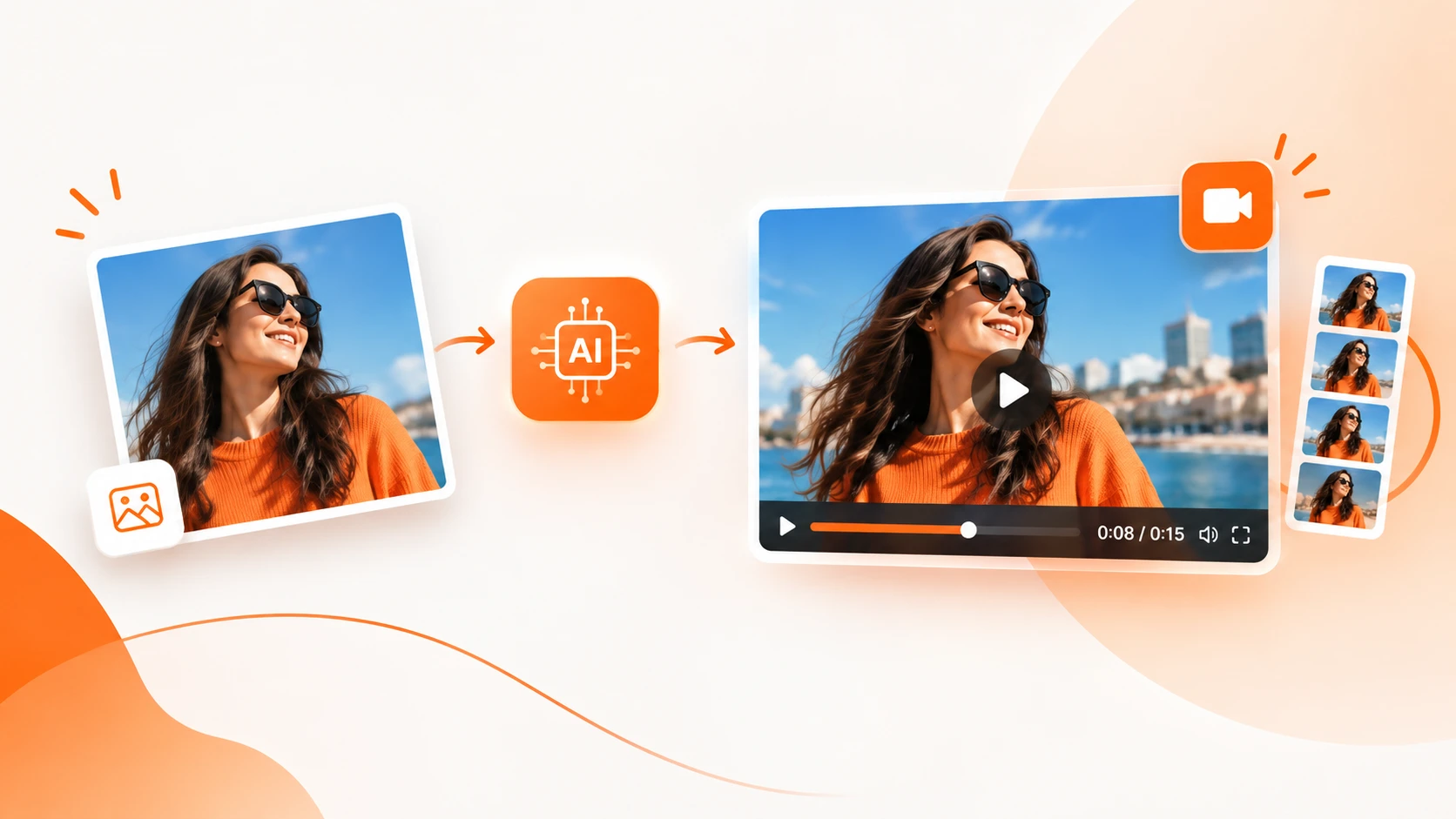
Turning a static image into an engaging video used to require video editing software, animation skills, and hours of work. Today, AI image-to-video technology makes it possible to transform still images into dynamic video content with just a few simple instructions.
For businesses, this opens up a faster way to create product videos, social media content, advertisements, promotional clips, and other marketing assets without starting every project from scratch.
With Blazo AI, businesses can use AI to create images, videos, product creatives, advertisements, and other marketing content from text prompts or existing visual assets. This makes it easier to move from an idea or static image to a finished creative in a much shorter time.
In this beginner's guide, we'll explain what image-to-video AI is, how it works, how to turn an image into a video, and how businesses can use this technology to create better marketing content.
What Is Image-to-Video AI?
Image-to-video AI is technology that uses artificial intelligence to transform a still image into a video sequence. Instead of simply displaying a photograph on screen, AI can interpret the visual elements within an image and generate movement, transitions, camera effects, and other video elements.
For example, you could start with a product photograph and create a short promotional video where the product appears in a more dynamic setting. A lifestyle image could become a social media video, while a marketing graphic could be turned into an animated promotional clip.
The key advantage is that the original image becomes the starting point for a much larger creative concept.
Why Convert Images Into Videos With AI?
Images remain an important part of digital marketing, but video gives businesses another way to communicate a message. AI makes it easier to turn existing visual assets into additional content without rebuilding every creative manually.
1. Bring Static Images to Life
A high-quality image can communicate a lot, but adding movement can make the same concept feel more dynamic. AI-generated motion can help transform a static product shot, campaign graphic, or lifestyle photograph into a more engaging video.
2. Create More Content From Existing Assets
Businesses often already have product photography, advertisements, website graphics, and social media images. Instead of using each asset only once, AI can help repurpose those visuals into new video concepts.
This is particularly useful when you need multiple creative variations for different campaigns or platforms.
3. Speed Up Creative Production
Traditional video production can involve scripting, filming, editing, animation, voiceovers, and multiple rounds of revisions. AI can reduce many of these steps and help businesses move from an initial concept to a usable creative much faster.
4. Create Content Without Advanced Editing Skills
You don't need to become a professional video editor to experiment with AI-generated video. Instead of manually keyframing every movement, you can describe the type of content you want and let AI assist with the creative process.
How Does AI Image-to-Video Technology Work?
At a high level, an AI image-to-video system analyzes the visual information contained within an image and generates additional frames to create the appearance of movement.
The AI may identify elements such as:
- Objects and products
- People and subjects
- Backgrounds and environments
- Lighting and shadows
- Depth and perspective
- Colors and visual composition
Based on the instructions provided, the system can then generate a sequence designed to turn the original visual into a video.
The exact result depends on the source image, the prompt, the desired style, and the AI model being used. This is why starting with a clear image and a specific creative direction is important.
How to Convert an Image Into a Video With AI
If you're new to AI video creation, the process can be much simpler than traditional video production.
Step 1: Choose a High-Quality Image
Start with an image that clearly communicates the subject you want to feature. For businesses, this could be a product photo, promotional graphic, lifestyle image, or another brand asset.
A clean, well-composed source image generally gives you a stronger starting point for creating video content.
Step 2: Decide What You Want the Video to Communicate
Before generating the video, determine its purpose.
For example, are you creating:
- A product advertisement?
- An Instagram or TikTok video?
- A promotional campaign?
- A product launch video?
- A website hero video?
- A short social media clip?
Knowing the goal helps you create a more focused prompt and choose an appropriate format.
Step 3: Add Your Image to Blazo
With Blazo AI Creative Studio, you can use AI-powered creative tools to build images, videos, advertisements, and other marketing assets.
Upload an existing image or use AI to create the visual you need. This means your workflow doesn't have to begin with an existing photograph—you can also start with a text idea and build the visual from there.
Step 4: Describe the Video You Want
Your instructions help guide the creative direction. Instead of simply saying “make this image into a video,” provide useful context about the movement, environment, mood, and purpose.
For example, a product-focused prompt could describe a premium product showcase with subtle camera movement, studio lighting, and a clean commercial style.
A social media concept might ask for a fast-paced vertical video with energetic movement and a visually engaging opening.
Step 5: Generate and Review the Video
Once your instructions are ready, generate the video and review the result. Look for consistency in the main subject, movement, composition, and overall message.
AI generation is designed to speed up the creative process, but reviewing the output is still important. Small adjustments to the prompt or source image can often produce a better result.
Step 6: Create Additional Variations
One of the biggest advantages of AI creative generation is the ability to experiment.
You can create different versions of the same concept with changes to:
- Video style
- Background
- Composition
- Messaging
- Visual mood
- Video format
- Creative direction
Instead of relying on one creative, businesses can explore multiple concepts and identify which versions best fit their marketing goals.
What Can Businesses Create With Image-to-Video AI?
Image-to-video generation isn't limited to one type of content. Businesses can use AI video creation across many areas of their marketing workflow.
Product Videos
Turn product images into engaging promotional videos that highlight the product, its appearance, features, or use case.
Social Media Videos
Repurpose existing images into short-form content for social media. A single campaign image can become the starting point for multiple creative concepts.
Video Advertisements
Transform product visuals and campaign assets into advertising creatives. AI can help businesses produce more variations for creative testing and different campaign concepts.
Ecommerce Content
Online stores can turn product photography into richer visual content for product promotions, seasonal campaigns, landing pages, and social advertising.
Real Estate Marketing
Property photographs can become engaging video presentations that showcase rooms, features, locations, or property highlights.
Promotional Campaigns
Businesses launching a sale, event, service, or new product can transform campaign imagery into short promotional videos that are easier to adapt across different marketing channels.
UGC-Style and Creator Content
AI-powered creative platforms can also help businesses explore creator-style video concepts, product demonstrations, and promotional storytelling without requiring a traditional production workflow for every variation.
Image-to-Video vs. Creating a Video From Text
There are two common ways businesses can approach AI video generation: starting with an existing image or starting with a text description.
| Approach | Best For |
|---|---|
| Image to Video | Existing product photography, campaign visuals, brand assets, and social graphics |
| Text to Video | Creating new concepts, scenes, promotional ideas, and videos from scratch |
The right option depends on what you already have. If your business has strong visual assets, image-to-video can help you extend their usefulness. If you only have an idea, text-to-video can help you explore the concept without needing an existing image.
Blazo brings these types of AI-powered creative workflows together so businesses can create visual content from both text and images.
Best Practices for Better AI Image-to-Video Results
Use a Clear Source Image
Choose an image where the main subject is easy to understand. Avoid unnecessary clutter when possible, especially when the primary purpose is to showcase a product.
Write Specific Prompts
Give the AI enough information to understand your creative direction. Describe the subject, setting, mood, movement, style, and intended use when those details matter.
Keep the Movement Relevant
More movement isn't always better. For product marketing, controlled and purposeful motion can often create a more professional result than excessive effects.
Think About the Final Platform
Consider where the video will be used before creating it. A vertical social video may need a different composition than a landscape video intended for a website or presentation.
Resources such as YouTube's official video specifications guidance can help when preparing content specifically for YouTube.
Keep Your Brand Consistent
AI gives you freedom to experiment, but your final content should still feel like it belongs to your business. Keep important brand elements such as your messaging, visual style, typography, and product presentation consistent.
Common Mistakes to Avoid
AI video generation is powerful, but better results come from giving the technology good inputs and reviewing the output carefully.
- Using poor-quality source images: Start with the best visual assets available.
- Writing vague prompts: Give the AI a clear creative direction.
- Adding unnecessary movement: Make motion support the message rather than distract from it.
- Ignoring aspect ratios: Consider whether your content is intended for vertical, square, or landscape placement.
- Publishing without reviewing: Always check the generated video before using it in a campaign.
- Using inconsistent branding: Make sure AI-generated content still matches your brand identity.
How Businesses Can Use AI Beyond Image-to-Video
Image-to-video is only one part of the modern AI creative workflow.
Businesses increasingly need to create many different types of content, including images, product advertisements, social media creatives, promotional videos, website visuals, and other marketing assets.
That's where an AI creative platform can become more valuable than using a single-purpose tool.
Blazo AI Creative Studio brings AI-powered creative generation into one platform. Businesses can create AI images, AI videos, product ads, advertisements, UGC-style videos, and other marketing assets from text prompts or existing creative inputs.
This can help reduce the number of disconnected tools involved in the creative process and make it easier to move from an initial idea to a finished marketing asset.
Why Use Blazo for AI Image-to-Video Creation?
Blazo is designed for businesses that need more than just a single AI-generated video.
Instead of treating image creation, video creation, advertising, and marketing content as completely separate workflows, Blazo brings multiple AI-powered capabilities together.
- AI Image Generation: Create original visuals from text prompts.
- AI Video Generation: Generate promotional and marketing videos with AI.
- Product Ads: Create advertising creatives around products and campaigns.
- Ad Creation: Generate visual assets for marketing campaigns.
- UGC Videos: Create creator-style promotional video concepts.
- Creative Variations: Explore different visual concepts without rebuilding everything manually.
Blazo also connects creative generation with broader marketing workflows, including social content, publishing, websites, advertising, and campaign management.
The Future of AI Video Creation
AI is changing the way businesses approach creative production. Instead of waiting for every visual asset to go through a lengthy design and editing process, marketers can experiment with ideas and produce new content much faster.
Image-to-video technology is an important part of that shift because it allows existing visual assets to become starting points for new content.
As AI video models continue to improve, businesses will have more opportunities to transform product photography, campaign graphics, illustrations, and other visual assets into engaging video experiences.
Final Thoughts
Converting an image into a video with AI doesn't have to be complicated. Start with a strong image, define what you want the video to accomplish, provide a clear creative direction, generate the result, and refine it until it fits your needs.
For businesses, the real opportunity goes beyond turning one image into one video. AI can help transform the entire creative workflow by making it easier to generate images, videos, advertisements, product creatives, and marketing content from a single idea.
With Blazo AI, businesses can explore these creative possibilities from one AI-powered platform and turn text prompts and existing images into professional marketing content faster.
Ready to turn your ideas and images into AI-powered marketing content? Explore Blazo and start creating.